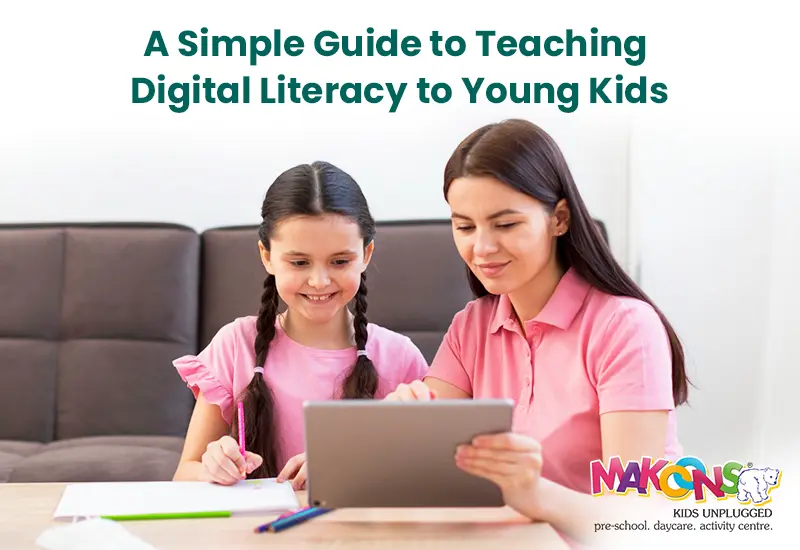
Technology is no longer meant solely for adults or school-aged children. Today preschoolers are growing up surrounded by digitally-based devices, ranging from interactive storybooks to video calling their grandparents. Technology is everywhere, making the teaching of digital literacy preschool education part of early childhood learning.
Of course, the literacy teaching doesn't include children sitting in front of a screen for hours on end. Instead, governmentally funded digital literacy education for preschoolers involves developing safe, smart and balanced practices for young children with technologies. Parents and teachers when provided the right information can successfully make digital literacy teaching for preschoolers fun, meaningful and appropriate.
This guide aims to be a preschool starter digital guide for assisting families and schools with establishing technology education for children in healthy, safe, usable and effective ways.
What is Digital Literacy in Preschool?
A Simple Definition
Digital literacy is the ability to use technology confidently, safely and for learning. For preschoolers, digital literacy involves three main areas:
Learning computer basics preschool.
Using technology for creativity and exploration.
Understanding internet safety rules preschool.
Why Start Early?
Children's brains grow rapidly during their early years. Engaging early with technology education - particularly during preschool technologies - can support preschoolers to:
- Children will be comfortable with the use of digital tools.
- Children will build skills in problem solving and creating learning.
- Children will develop safe habits online.
Core Areas of Kids Digital Learning
Preschool Computer Basics
Children should initially learn simple digital actions before using complex applications. Digital actions include:
- Clicking and dragging with a mouse.
- Typing their name with the keyboard.
- Swiping and tapping with touchscreens.
- Turning devices on and off correctly.
Teaching preschoolers the computer basics to build their specific future learning will support preschoolers' learning.
Internet Safety for Preschoolers
Although preschoolers are not going to surf the Internet on their own they can learn about what it means to be safe. The teacher and parents can help introduce simple rules such as:
- Ask an adult first before opening anything new.
- Never share personal information online.
- Do not click links or pop-ups if you do not know what they are.
With stories, posters, role-playing, and other examples, preschoolers can learn and understand what internet safety is.
Technology Education for Children: Benefits
Supports Learning
Digital tools provide children a better understanding of abstract ideas. Counting games, for instance, help children visualize what numbers are and digital drawing tools help foster creativity.
Supports Social and Communication Skills
When children work together on tablets or computers, they are practicing working as a team, sharing, taking turns, and communicating.
Supports Creativity
Kid’s digital learning activities such as creating music, painting digitally, or storytelling give children a place to use their imagination.
Preschool Beginner to Digital Guide: Practical Advice
Step 1: Start small and slow
Introduce technology to preschoolers in short-term bouts, like 10-15 minutes of play or work. Do not provide preschoolers with too many apps to use at once.
Step 2: Combine Digital with Traditional Play
Technology should not include substituting outdoor play, arts and crafts, or storytelling, but should enhance them. For example:
- Letting kids draw a story after they read a book, but instead of paper and crayons, they could use a drawing app.
- Showing kids a video of how plants grew after they did a science activity.
Step 3: Make it interactive
Select tools that support participation. Watching and looking at things does not do very much, but choosing apps that provide children with an interactive role helps build early childhood tech skills.
Digital Learning Activities at the Preschool Level that Engage Kids' Brains
| Activity | Skills Developed |
| Typing games using letters on the keyboard | Letter recognition, basic keyboard knowledge |
| Matching and sorting applications | Logic, problem-solving |
| Storytelling applications | Creativity, imagination, developing language |
| Digital drawing and digital music applications | Expression, finger dexterity |
| Role-playing or games related to online safety | Understanding safety habits and tactics online |
These activities can help make learning with digital mediums fun for children while building on learning lessons in real-life contexts.
Teaching Preschoolers Technology Use Safely
Use Age Appropriate Tools
Stick with applications and websites meant for preschoolers. They will be easy to use, ad-free, and educational.
Always Supervise
Preschoolers should never be left to their devices without supervision. Adults should make technology use intentionally, purposefully directing and helping children, answering questions, and monitoring their use.
Establish "Tech Rules" in Spaces for Preschoolers
Examples include:
- Ask first before clicking.
- Share time with friends.
- Use time is only at designated times.
Things like rules are the foundational building blocks for teaching preschoolers technology responsibly.
The Role of Parents in Children's Digital Learning
In the Home
Encourage parent/child co-use: spend time with your child and use the applications together.
Limit screen time to provide balance for outdoor play and learning.
Discuss with your child what they learned from the digital activity to help connect what they learned to real life.
In the School
Ask your child's teacher:
What applications or tools are being used.
How to extend a similar digital learning activity in the home.
What are the preschool internet safety policies in the school?
Challenges in Digital Literacy in Preschool-Based Programs
Screen Time Balance
One challenge in digital literacy in preschool is ensuring children do not use technology and/or devices for some periods of time.Research suggests that your time on a screen should be limited and, more specifically, should have a purpose.
Equal Access to Technology
Not all families have equal access to comparable devices or equal access to the internet. Schools can help to alleviate this issue in ways such as sharing technology centers or lending technology items when and where they can.
Professional Development of Educators
Educators need to be comfortable with the digital tools they are using. In addition to confidence, regular workshops on related technology education for children give educators examples of how they, the educators, can use technology as an educational success strategy and have a chance to speak from a place of confidence.
Long-Term Impact of Technology Skills Gained in Early Childhood
- Confidence (Children are adaptable to new digital tools)
- Safety (Teaching safe internet rules noting clear expectations for preschool find the kids practicing established positive long-term habits)
- Creativity (Children discover new ways to use art, music, and emergent storytelling)
- Accelerated/Learning (Children learn technology skills as preschoolers that prepare them for technology and learning opportunities )
Side-By-Side Comparison of Digital Learning Compared to Traditional Learning in Preschool
| Comparative Aspect | Traditional Learning | Digital Learning |
| Reading & Writing | Books, pencils, storytelling | Reading e-books, typing game, recorded audio stories |
| Creativity | Drawing, painting, role-play | Digital art, story-telling apps |
| Math Concepts | Counting blocks, flashcards | Interactive math games |
| Collaboration | Group games and activities | Shared tablets |
| Instructor | The professional providing direct instruction | The facilitator of a digital environment |
A combined approach of both methods is ideal for children's development.
Daily Processes of Educators and Parents for Technology Safety
- Preview all your apps before suggesting children use them; fondly of all, to do a re-use in the class, set up a "safe corner" for short limited supervised use.
- Always reiterate that children should ask before they click.
- Provide parents with regular reports of their children's efforts in learning outcomes.
These processes will support children's development, in a safe learning environment, developing key initial digital learning strategies that are important as a part of early childhood education.
Conclusion
Sometimes as learning practitioners, we forget that children today need modeling and experience in much more than toys and books. Today, children also need safe access and opportunity to technology based exposure. Digital literacy programs with preschoolers, support preschool computer basics as well teaching preschool internet safety as well teaching preschool tech skills will help meet this demand.
Parental and educator responsibilities are key, we need to move from ideal outcomes, to ones that will help prepare young children for technology using patience, balance, and creativity. Technology education for children as a purposeful vehicle.
A preschool beginner's guide to technology, used mindfully can help nurture children during play, developmentally, exploration, learning and creativity, while accessing technology in a safe and supportive environment. The justification for using intentional educational technology with preschoolers is not to replace play based learning, but will help assure we keep up with expected developments of society's shift to focus on digital skills that are unprecedented and ubiquitous, as we have faith in literacy and numeracy development at standardized grade levels, we must extend the same expectation for digital potential.